Types of Commercial Security Cameras
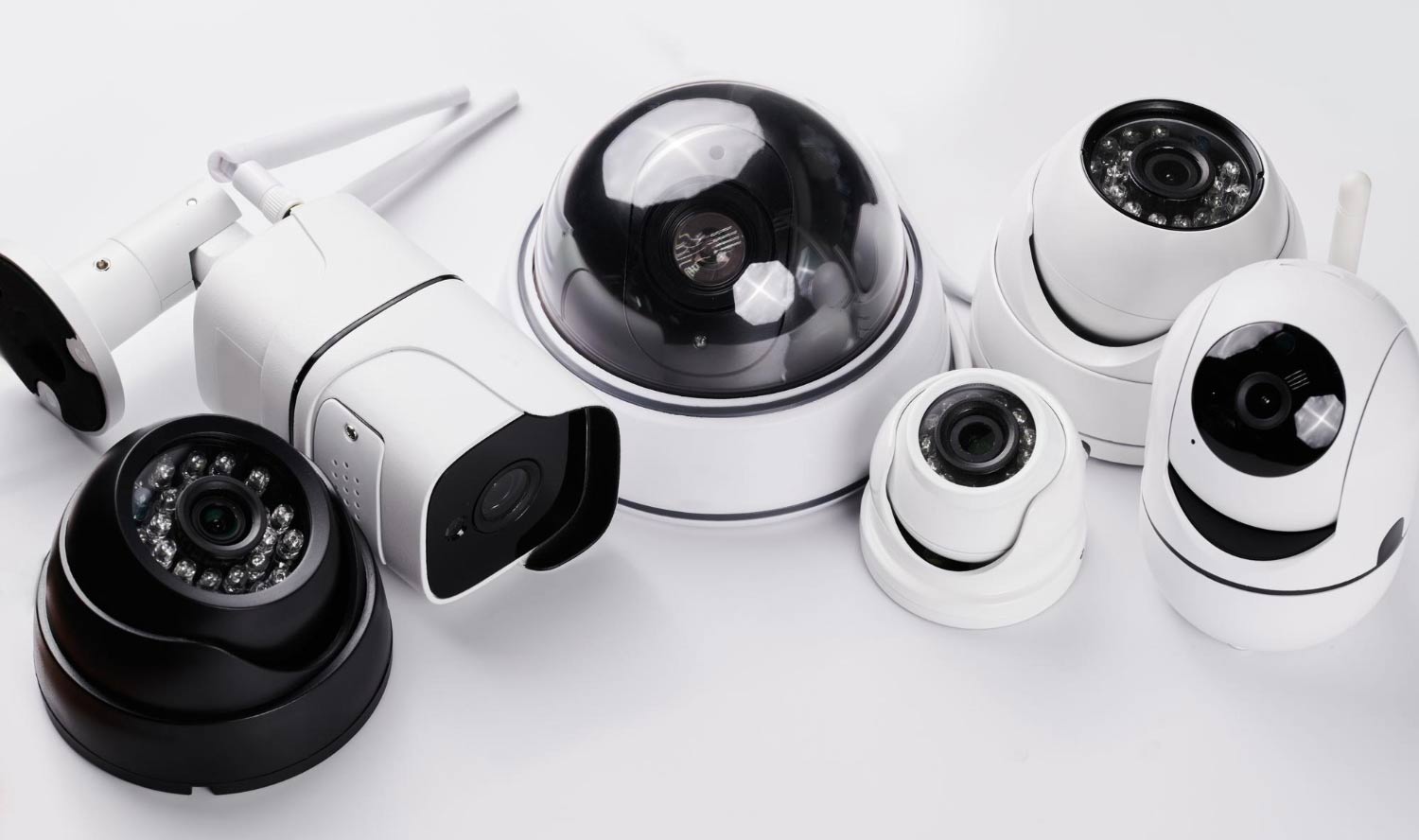
Commercial security cameras come in various types, each designed to fulfill specific surveillance needs. For example:
Commercial security cameras come in various types, each designed to fulfill specific surveillance needs. For example:
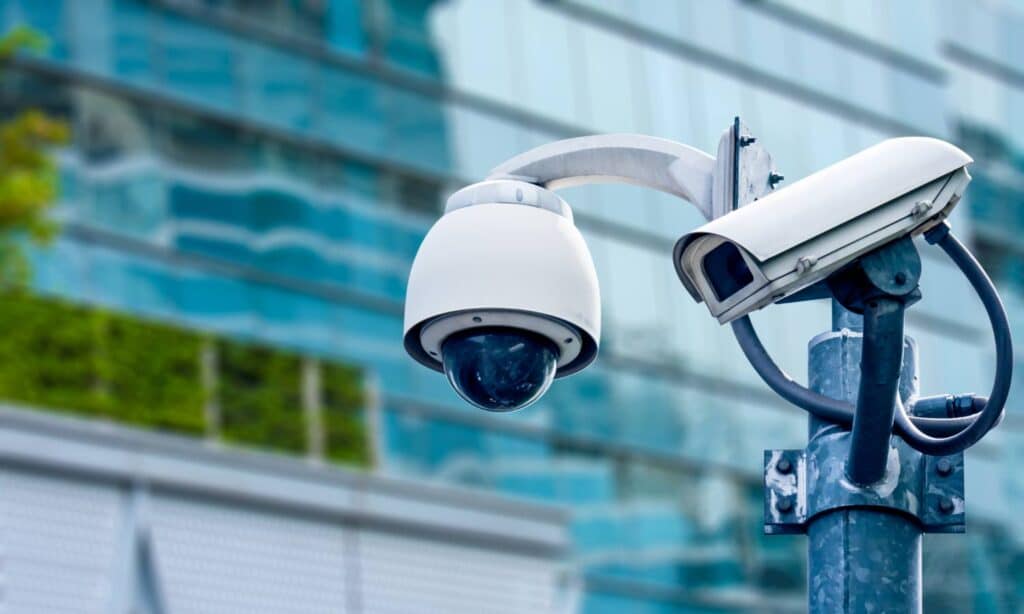
- Dome cameras: The name reflects their dome-shaped housing, which helps conceal the direction it’s pointing. Dome cameras are typically installed on ceilings and often provide 360-degree coverage. They are suitable for monitoring large areas such as retail stores, warehouses, and parking lots.
- Bullet cameras: These surveillance tools are cylindrical and commonly used outdoors due to their weatherproof housing. They also work well for indoor applications. Bullet cameras have a fixed lens and are typically mounted on walls or poles. They are known for their long-distance viewing capabilities, ideal for monitoring entrances, parking lots, and perimeters.
While dome cameras and bullet cameras tend to be the two major form factors for commercial security cameras, there are also key capabilities that further differentiate them. We should note that these are not necessarily mutually exclusive; a thermal camera may have PTZ capabilities, for instance.
- PTZ cameras: If you want comprehensive coverage of a larger area, PTZ cameras offer the ability to pan, tilt, and zoom. You can remotely control these devices to rotate horizontally (pan), vertically (tilt), and zoom. PTZ cameras work well in areas that require active monitoring, such as shopping malls, airports, and stadiums.
- Thermal cameras: Thermal cameras detect heat signatures from objects and individuals. They are ideal for detecting intruders in low-light or no-light conditions. Thermal cameras are standard in areas that require advanced surveillance, such as critical infrastructure sites, industrial facilities, and high-security zones. They can provide visibility even in complete darkness or challenging weather conditions.
- Panoramic cameras: These 360-degree “fisheye” cameras capture a wide field of view in a single image. Panoramic cameras are suitable for monitoring large open areas such as shopping malls, parking garages, or public spaces.
- Infrared (IR) Cameras: These cameras use LEDs that emit infrared light, allowing them to capture clear images in low- or no-light. IR cameras work in outdoor environments or areas with limited lighting, such as parking lots, building exteriors, or perimeter monitoring.
- License plate recognition (LPR) cameras: LPR cameras are specialized cameras designed to capture and read license plate information in parking lots, toll booths, or access control points. LPR cameras use advanced optical character recognition (OCR) technology to extract and analyze license plate information, enabling automated identification and tracking of vehicles.
These are just some of the common types of commercial security cameras available in the market. Each type has its specific features, advantages, and applications. Choosing the right type of camera depends on your surveillance requirements, the environment, and the desired functionality for your commercial security needs.
What Are the Components of Commercial Security Camera Systems?
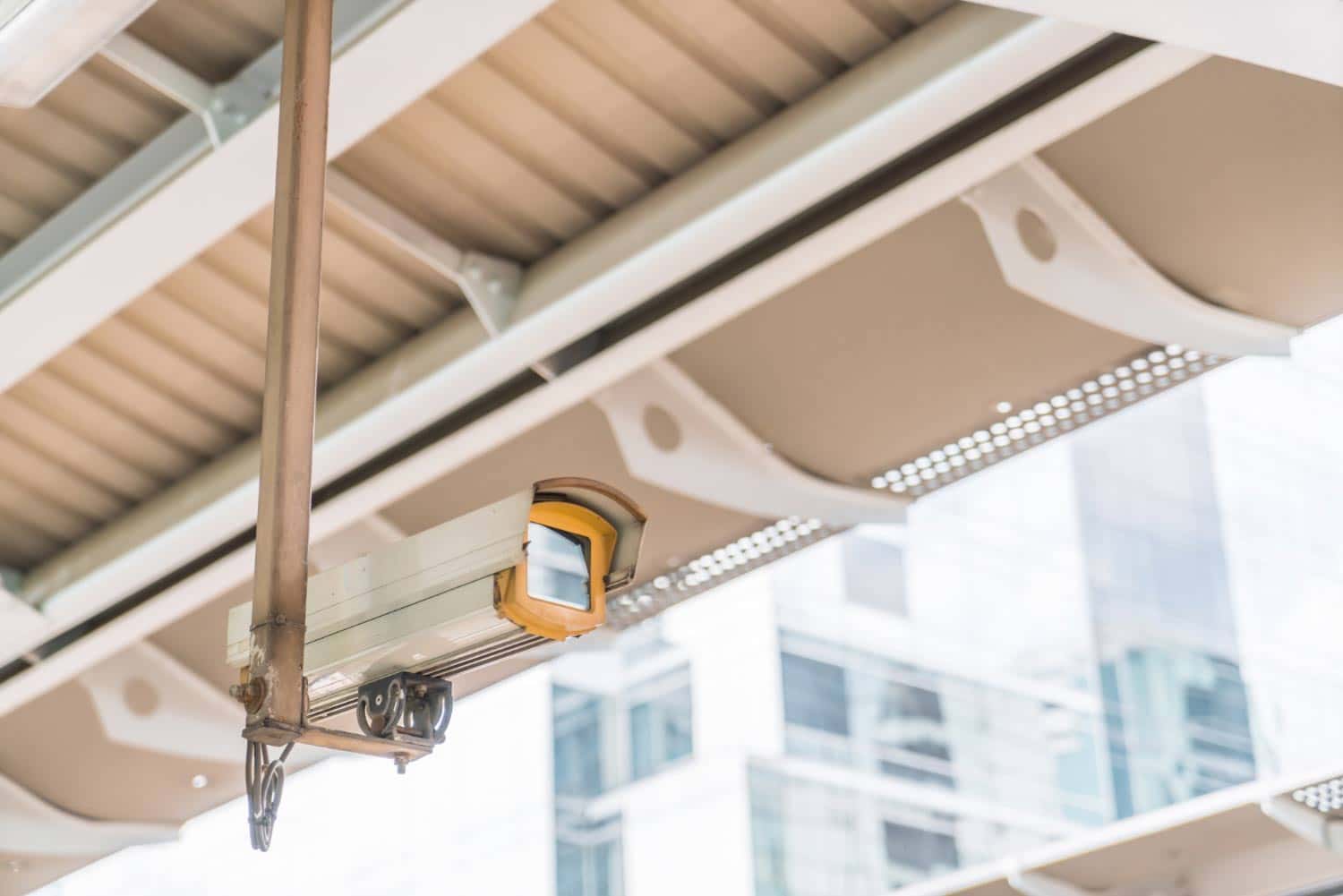
Commercial security camera systems include various components that work together to provide comprehensive surveillance solutions. The key components include:
- Cameras: Cameras are the system’s primary component for capturing video footage. These can include dome or bullet cameras, pan-tilt-zoom (PTZ) cameras, thermal cameras, or other specialized cameras based on specific surveillance requirements. Cameras can be analog or IP-based, with IP cameras offering higher resolution and more advanced features.
- Network Video Recorders (NVRs) or Digital Video Recorders (DVRs): NVRs or DVRs store and manage camera video footage. NVRs work in IP-based systems, while DVRs store data from analog camera systems. These devices can have multiple channels to accommodate several cameras, providing features such as video compression, storage management, and remote access. In addition, instead of NVRs or DVRs, commercial security camera systems often include cloud-based storage solutions.
- Monitors: Monitors let you watch live video feeds or playback recorded camera footage. Monitors vary in size and can be dedicated to video surveillance or integrated into existing computer systems.
- Cabling and wiring: Modern cameras can be wireless. However, older CCTV units often are connected with with CAT5 cabling. This wiring transmits power and data between cameras, the NVR/DVR, or other system components. Power cables or Power over Ethernet (PoE) technology provide power to the cameras. Some cameras can also be solar-powered and run from the sun or a battery.
- Networking equipment: Switches and routers enable communication between the cameras, NVR/DVR, or other network devices or allow you to transmit data over the internet.
- Software and video management systems: Commercial security camera systems utilize software and video management systems (VMS) to manage and control the cameras, view live feeds, and playback recorded footage. Increasingly, these solutions incorporate artificial intelligence (AI) to improve automation and camera functionality. These software solutions offer features like video analytics, remote access, event-triggered alerts, and integration with other security systems.
- Mounting and installation accessories: Mounting brackets, housings, and accessories ensure proper placement and alignment of the cameras for optimal coverage and protection from weather conditions.
- Security system integration: Commercial security camera systems can be integrated with other security systems such as access control systems, alarms, intrusion detection systems, or video analytics platforms. Integration allows for centralized monitoring, automated responses to events, and enhanced overall security.
It’s important to note that the specific components of a commercial security camera system may vary depending on the manufacturer, system requirements, and the complexity of the installation. Working with a professional security system provider can help ensure the selection and integration of the appropriate components for your specific business needs.
Best Places to Install Commercial Security Cameras
Camera placement is one of the highest-leverage decisions in any commercial surveillance installation. The right locations eliminate blind spots, maximize deterrence, and ensure that footage is usable when it’s needed. Pro-Vigil’s site assessment process consistently identifies the following as priority coverage zones:
- Entrances and exits: Every point of ingress and egress should be covered, including front doors, back doors, loading dock entries, and emergency exits. These are the highest-traffic choke points and the most common locations for both theft and unauthorized access.
- Parking lots and perimeters: Exterior areas are frequent targets for vehicle break-ins, vandalism, and after-hours intrusion. Cameras with IR capability and wide coverage, whether fixed or PTZ-capable, are well-suited to these environments.
- Cash handling and point-of-sale areas: Retail checkout areas, cash registers, and ATM locations require tight, high-resolution coverage. These are the primary locations for both external theft and internal fraud.
- Storage rooms and inventory areas: High-value inventory, equipment storage, and supply rooms are common targets for employee theft. Dedicated camera coverage creates accountability and provides documentation when discrepancies arise.
- Server rooms and IT infrastructure: Physical access to network equipment and servers represents both a security and a data protection risk. These spaces should have dedicated camera coverage regardless of other access controls in place.
- Loading docks: Shipping and receiving areas see high volumes of valuable inventory movement and are among the most common locations for organized retail crime. In Pro-Vigil’s experience, loading docks are consistently underprotected relative to the risk they represent.
- Common areas and hallways: Employee break rooms, corridors, and shared workspaces benefit from wide-angle or dome camera coverage to monitor general activity without creating targeted surveillance of individual workstations.
Commercial Security Camera Storage Options
How and where footage is stored affects accessibility, retention length, redundancy, and the integrity of evidence in the event of an incident. There are three primary approaches in commercial deployments:
|
Storage Type |
Security |
Scalability |
Notes |
|
DVR |
Medium |
Low |
Best for analog/legacy systems; hardware on-site |
|
NVR |
High |
Medium |
Preferred for IP camera systems; higher resolution support |
|
Cloud |
High |
High |
Remote access and redundancy; subscription-based |
Many commercial facilities benefit from a hybrid approach, namely using local NVR storage for fast access and immediate playback, combined with cloud backup for redundancy and remote access.
Commercial Security Camera Cybersecurity Risks
Networked IP cameras introduce cybersecurity considerations that analog CCTV systems never faced. A camera that can be accessed remotely can also be accessed by unauthorized parties if it isn’t properly secured. If unsecured cameras are compromised without a business owner’s knowledge, this undermines the very security system meant to protect them. Key risks and mitigations include:
- Default passwords: The most common vulnerability in commercial camera deployments. Cameras shipped with manufacturer default credentials are trivial to compromise if those credentials aren’t changed during installation. Every camera and recorder should have a unique, strong password set before it goes online.
- Firmware updates: Camera manufacturers regularly release firmware updates that patch known security vulnerabilities. Cameras running outdated firmware are exposed to exploits that have already been publicly disclosed. Establish a regular update schedule or work with a provider that manages firmware maintenance as part of the service.
- Network segmentation: Security cameras should operate on a dedicated network segment or VLAN, isolated from business-critical systems like point-of-sale terminals or financial data. If a camera is compromised, segmentation limits the attacker’s ability to move laterally across the network.
- Unauthorized access: Access to camera feeds and recorded footage should be restricted to authorized personnel only, with role-based permissions and audit logging enabled. Shared credentials and unrestricted access are common vectors for both external compromise and internal misuse.
- Camera hacking: Compromised cameras can be used to spy on operations, disable recording, loop old footage, or serve as entry points into broader network infrastructure. Regular security audits of camera systems, including penetration testing of network-connected devices, are increasingly considered standard practice for commercial deployments.
What is the Best Installation Design for My Commercial Security Camera Systems?
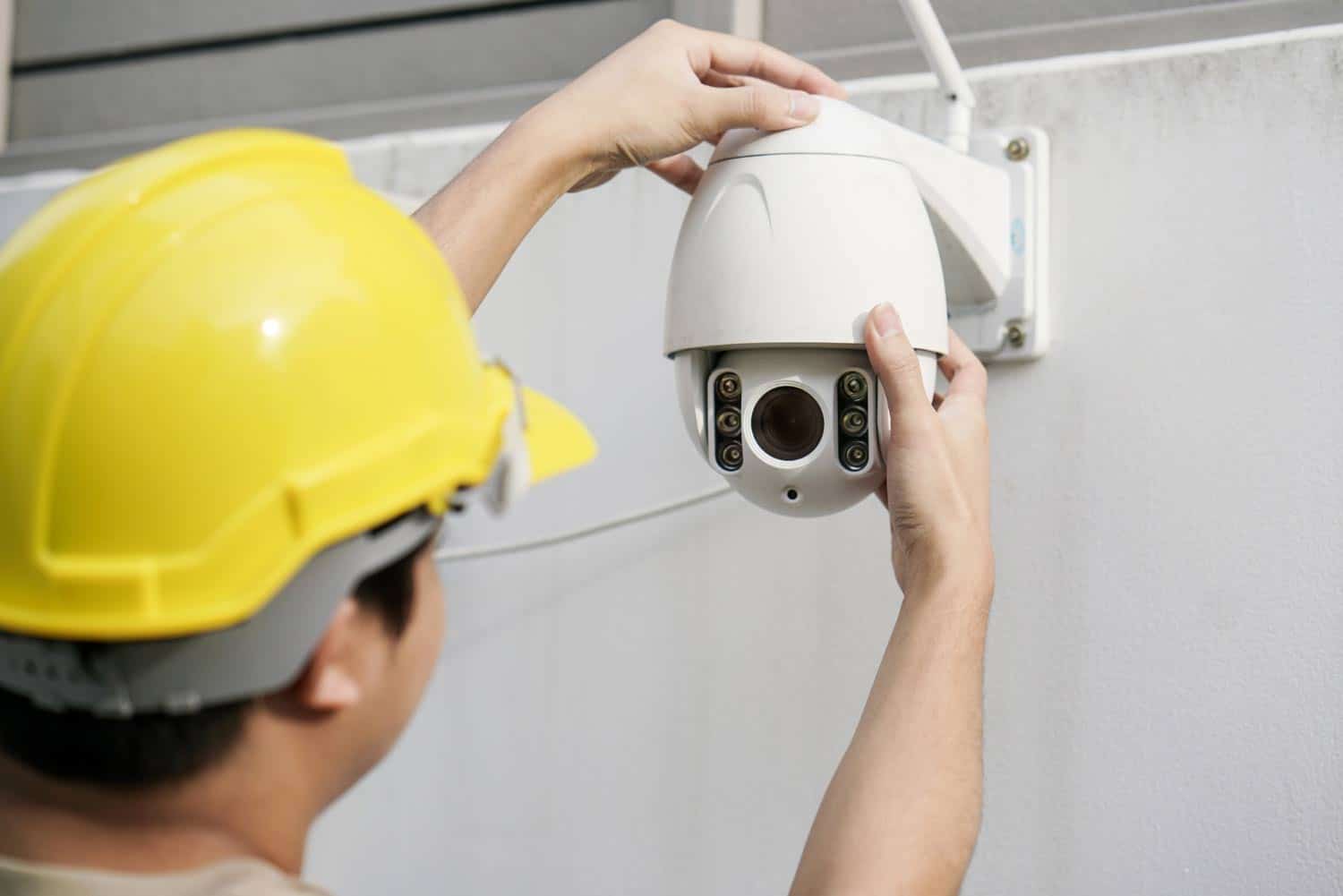
The best installation design for your business security cameras depends on your goals and budget, but also the layout of your premises.
Before installing commercial security cameras, conduct a thorough assessment of your business. Identify vulnerabilities and high-risk areas to determine the number of cameras and their placement. Pay particular attention to entry and exits, low light areas, loading docks, and remote points of your property. These areas are common targets for theft or unauthorized access.
Some general guidelines to consider include:
- Optimize Camera Placement: Consider the field of view of each camera to ensure maximum coverage. Avoid blind spots by positioning cameras strategically, overlapping their fields of view if necessary. Adjust camera angles to minimize obstructions and optimize the visibility of targeted areas.
- Monitor High-Traffic Areas: Install cameras in high-traffic areas such as hallways, lobbies, and employee break rooms. These areas can be prone to theft, vandalism, or other security incidents. Wide-angle or dome cameras are often suitable for such spaces as they provide a broader coverage area.
- Protect Critical Areas: Identify critical business areas, such as cash registers, storage, server rooms, or areas with sensitive information. These areas should have dedicated cameras to monitor access and ensure security.
- Consider Lighting: Assess the lighting conditions of each area and select cameras accordingly. Consider using cameras with infrared (IR) capabilities in low-light or no-light areas or installing additional lighting to ensure clear images. For changing lighting conditions, cameras with a wide dynamic range (WDR) can help capture details in bright and dark areas.
- Concealment and Deterrence: Visible cameras can deter potential criminals, while discreetly placed cameras may be more suitable for monitoring employee behavior or internal investigations.
- Wiring and Connectivity: Ensure power and network connections are readily available at each camera location. If using wireless cameras, ensure proper signal strength and reliability. Can solar cameras be used with battery back-ups to eliminate wiring costs?
- Compliance and Privacy: Familiarize yourself with any legal or regulatory requirements in your area related to video surveillance. Ensure your camera installation avoids capturing sensitive or private areas, such as restrooms.
- Regular Maintenance and Testing: Test the cameras periodically to verify image quality, adjust angles if necessary, and ensure that the recorded footage meets your expectations. Or, if your cameras connect to the internet, consider camera health monitoring and management by a remote vendor to ensure the cameras work when you need them.
How to Choose the Right Commercial Security Camera System
Selecting a commercial surveillance system involves balancing coverage requirements, environmental conditions, integration needs, and budget. These are the key questions to work through:
- What are your primary security objectives? Deterrence, evidence collection, real-time response, and compliance monitoring each prioritize different system capabilities. Define the objective before selecting hardware.
- What environments need coverage? Indoor vs. outdoor, high-light vs. low-light, large open areas vs. defined chokepoints — each calls for different camera types and specifications.
- Do you need live monitoring or recorded review? Recorded-only systems are lower cost but reactive. Live virtual monitoring adds proactive deterrence and real-time response capability.
- How will footage be stored and for how long? Retention requirements vary by industry and jurisdiction. Determine your minimum retention window and size storage accordingly, accounting for resolution and number of cameras.
- What does integration look like? If you have existing access control systems, alarm infrastructure, or a VMS platform, your camera system needs to be compatible with, or replaceable alongside, those systems.
- Who will manage and monitor the system? In-house monitoring is only effective if someone is consistently watching. A professional monitoring partner like Pro-Vigil provides 24/7 coverage without the staffing overhead of an internal security team.