
Security Camera Monitoring Portal Giving You Complete Control
With Pro-View™, your entire security system is at your fingertips, wherever you are.
Stay in the Know. Stay in Control.

As a business owner, you can’t be everywhere at once, but your eyes can be. Pro-View is your secure command center, giving you full access to your surveillance system anytime, anywhere.
Whether you’re checking from your desk or your phone, Pro-View gives you real-time visibility into your site wherever you are.
With a few simple clicks, you can arm or disarm your system, view live video from all cameras, review monitoring protocols, and pull footage from any point in time. There’s no waiting on support tickets or navigating outdated platforms. If you need to see something, Pro-View puts it at your fingertips.
Mobile-First, Owner-Friendly
Whether you run a single site or manage multiple locations, Pro-View centralizes your operations in one intuitive portal. Built for business owners who wear a hundred hats, the system makes it easy to check footage, monitor activity, schedule events, or review reports. You can do this all in real time, all from one screen.
Arm or
disarm
your site
Access
Event
Footage

View Crime Prevention Reports
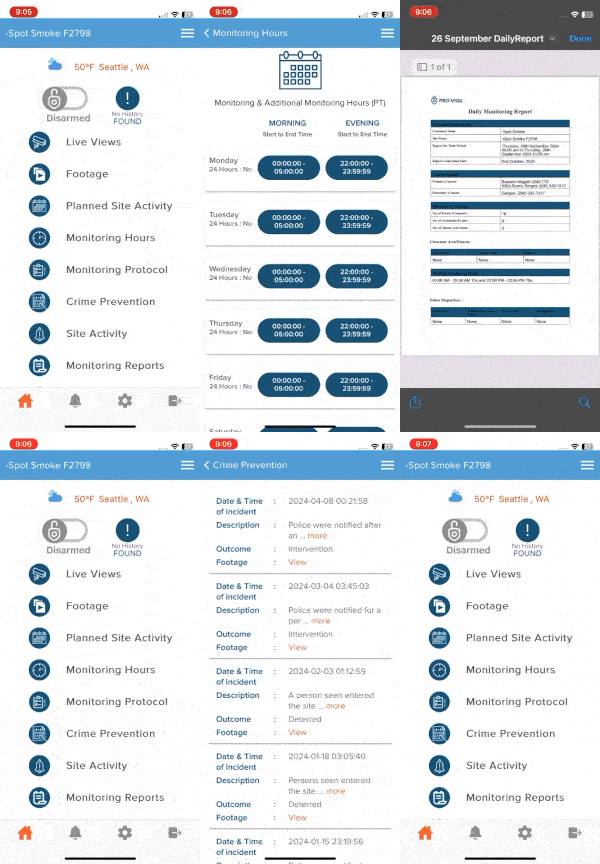
Schedule Planned Activities
Monitor Video From All Cameras

Review Monitoring Protocols
No Tickets. No Delays. Just Access.
When something happens, time matters. Pro-View removes the red tape by allowing you to retrieve historical footage instantly.
Unlike outdated systems where users must submit requests just to access their own data, Pro-View puts you in control of your security experience. It’s transparency, accountability, and protection, all rolled into one.
What Can You Do with Pro-View?
As a security monitoring portal and full IP video management software, Pro-View covers every day-to-day security task an owner or manager needs:
-
View Live Camera Feeds
Pull up any camera on your property in real time, from any device, without waiting for anyone to send you a clip.
-
Review Event Footage
Search and pull footage from any point in time, so you can see exactly what happened without submitting a request and waiting for a response.
-
Manage Multiple Locations
Switch between properties from the same security dashboard instead of logging into a separate system for each site.
-
View Crime Prevention Reports
See a record of detected activity, deterrents deployed, and incidents resolved, so you know what your system is doing for you.
-
Schedule Planned Activities
Let your monitoring team know in advance about deliveries, after-hours work, or other activity that would otherwise look suspicious on camera.
-
Review Monitoring Protocols
Check exactly what your monitoring team is instructed to do in different scenarios, and update those protocols as your business changes.
-
Arm or Disarm Your Site
Turn monitoring on or off for scheduled hours, special events, or unplanned changes to your schedule, directly from the portal.
Pro-View for Multi-Site Security Management
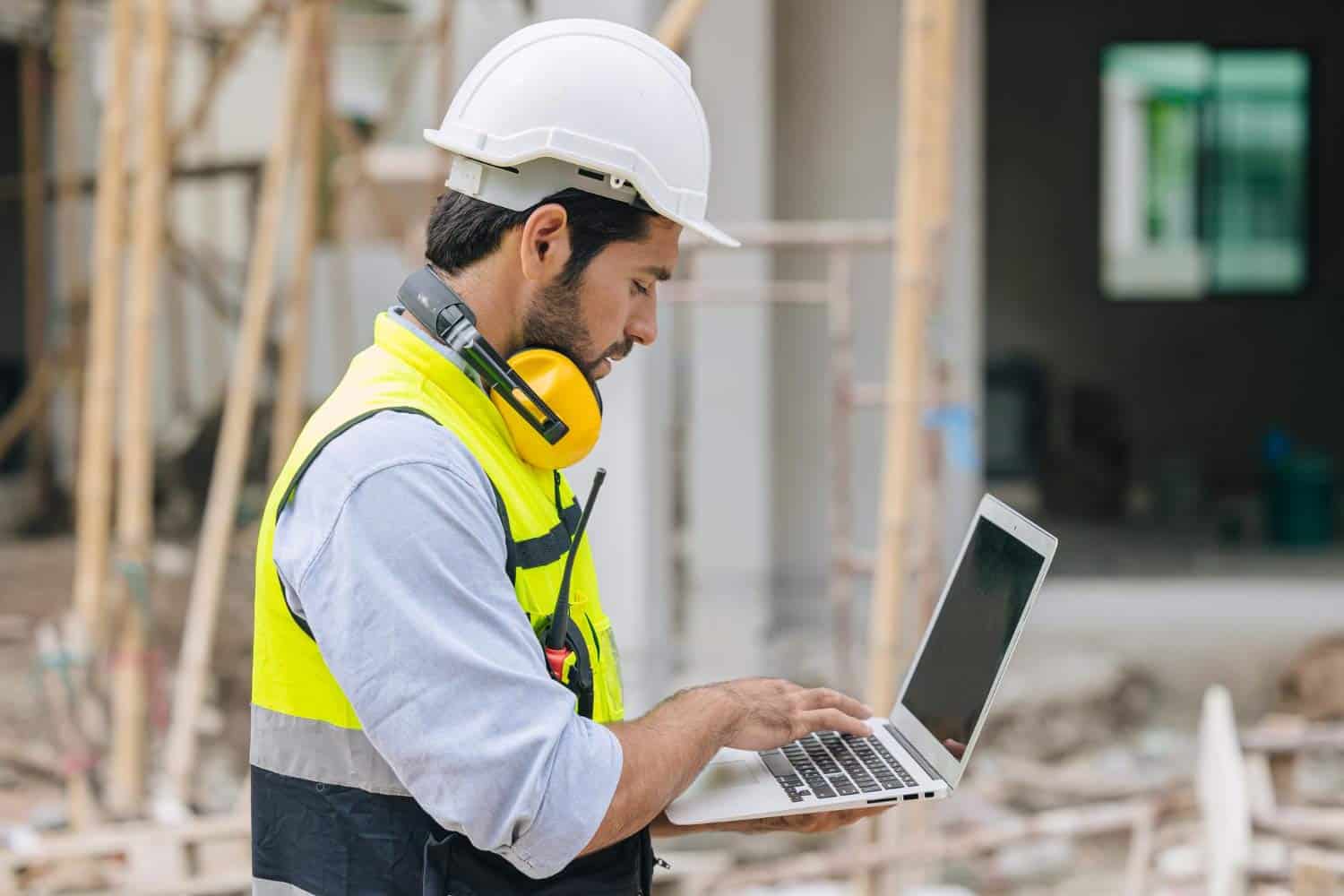
For businesses managing more than one property, Pro-View functions as a real security system management portal spanning every location – not a mere single-site tool. Multi-site security monitoring means that you or your security team can manage cameras, footage, and reports from every property in one dashboard instead of juggling separate logins. Importantly, monitoring protocols can be standardized across locations rather than reinvented at each one.
Through Pro-View, Pro-Vigil functions as a holistic video surveillance management platform: Reports and activity are rolled up across your whole footprint, so you can compare how different sites are performing and review each in terms of their security needs rather than reviewing each one in isolation. When it comes to video surveillance management systems, a multi-site view is what separates a real platform from a single-camera app.
Desktop and Mobile Access

Pro-View is built for remote security management from whichever device is in front of you. On a desktop or laptop browser, you get the full portal, with live views, historical footage, reports, and protocol management side by side. On your phone, the security camera mobile app gives you the same remote video surveillance access in a format built for a quick check between meetings rather than a full desk session.
Why Businesses Choose Pro-View
No more waiting on support tickets
Self-service access is a true time saver; pulling your own footage takes seconds instead of a request-and-wait cycle.
Confidence without being on-site
Owners using Pro-View for security camera management software can verify what’s happening on their property without physically being there.
Consistency across locations
Standardized protocols and centralized reporting mean multi-site operators aren’t reinventing their process at every property.
Less time spent chasing information
Reports, footage, and protocols live in one IP camera management software portal instead of scattered across emails, calls, and separate logins.
The Pro-View VMS (video management system) ties every camera, report, and protocol back to one place. It’s a security command center in every way, beyond mere marketing language.
Pro-View FAQs
A security camera monitoring portal is a centralized system for viewing live and recorded footage, managing reports, and controlling your security settings all in one place, instead of separate tools or a support team for basic tasks.
Pro-View lets you view live cameras, pull historical footage, manage multiple locations, review crime prevention reports, schedule planned activities, review monitoring protocols, and arm or disarm your site, all from one portal.
Yes; Pro-View means that live video from every connected camera on your property (or properties) is available from the portal on desktop or the mobile app, from wherever you are.
Yes, you can pull footage from any point in time directly through Pro-View all on your own, without needing to submit a request and wait.
Yes, Pro-View was designed from the ground up to work for multi-site security monitoring. Pro-View lets you switch between properties from a single dashboard rather than making you log into a separate system for each one.
Yes. Reports on detected activity, deployed deterrents, and resolved incidents are available directly in the portal.
Yes; you can notify your monitoring team in advance about expected deliveries, after-hours work, or other planned activity so it won’t trigger false alarms or be flagged as suspicious.
Yes, through the mobile app, which mirrors the core functionality of the desktop portal in a format built for quick, on-the-go checks.
Yes, arming and disarming your site is available directly from the portal, whether that's for scheduled hours, a special event, or an unplanned change.
Pro-View lets you minimize false alarms, standardize security practices across sites, and always have the confidence that your site is secure and being monitored. Furthermore, by putting live video, historical footage, reports, and protocol management in one place, Pro-View removes the delay of waiting on a support ticket for information you should be able to see yourself, which matters most for owners managing security alongside everything else running a business involves.