Quick Answer
Most wireless security cameras can work without an internet connection. They continue recording by storing footage locally on an SD card, NVR, DVR, or onboard storage. However, features like remote viewing, cloud storage, mobile alerts, and live monitoring require an internet connection. For businesses that need real-time threat detection and proactive response, AI-powered remote video monitoring provides capabilities beyond standalone offline recording.
Key Takeaways
- Most wireless security cameras continue recording without internet by storing footage locally on an SD card, NVR, DVR, or onboard storage. Internet is mainly required for remote viewing, cloud storage, and mobile alerts.
- Offline surveillance is ideal for remote and temporary locations, but it comes with trade-offs such as no remote access, no real-time notifications, and no live monitoring during an incident.
- A reliable surveillance system depends on proper configuration and regular maintenance. Verifying playback, monitoring storage health, and performing routine system checks help ensure footage is available when it’s needed most.
- Businesses that require proactive security benefit from AI-powered remote video monitoring, combining intelligent threat detection, live intervention, and rapid response with reliable recording for comprehensive protection.
Yes, most wireless security cameras keep working even when the internet goes down. A wireless security camera communicates without cables, but it doesn’t necessarily require Wi-Fi to operate. Footage can still be captured and stored using SD cards, NVRs, DVRs, or onboard memory, so a dropped connection doesn’t automatically mean a blind spot.
Internet access mainly comes into play for the extras: cloud storage, remote viewing on a phone, push notifications, and remote system management. Cellular-enabled cameras take this a step further, since they run on mobile networks instead of a home or office router and can operate almost anywhere. The right setup ultimately depends on the site, including its power availability, layout, and monitoring requirements.
Pro-Vigil emphasizes that the success of a surveillance system isn’t determined by internet connectivity alone. The real difference lies in choosing the right recording architecture and connectivity strategy for the property’s operational and security needs.
Can Security Cameras Work Without Wi-Fi?
Although closely connected, Wi-Fi and the internet are different technologies. Wi-Fi connects devices within a local network, while the internet links that network to the wider online world. A wireless camera can communicate over a local Wi-Fi network while operating entirely without internet access.
That distinction explains why “wireless” doesn’t always mean “cloud-connected.” A camera can record and store footage entirely on its own hardware, with no outside connection involved at any point. It will still function without the internet, though some capabilities will be more limited than what an always-online camera offers.
The following overview makes the differences easier to understand:
- Keeps working offline: Recording video, detecting motion, saving to security camera local storage, and playing back footage on-site.
- Needs an internet connection: Cloud backups, remote viewing from a mobile app, instant alerts, and receiving firmware updates.
A common misconception is that surveillance simply stops the moment the internet drops. In practice, a properly configured system continues recording locally until the connection is restored, turning the outage into a minor interruption rather than a security gap.
Pro-Vigil Tip: Don’t assume an internet outage means your cameras stop recording. Properly configured systems can continue capturing and storing footage locally until the connection returns.
How Wireless Security Cameras Record Footage Without Internet
There are multiple ways offline security cameras handle recording. Depending on the property and the budget, footage usually gets captured through one of these methods.
Local Storage Using SD Cards
Many wireless cameras feature built-in SD card slots for recording footage directly to the device. Storage capacity varies by card size, and older footage usually gets overwritten once the card fills up, so retention has a natural limit. This setup tends to suit homes and smaller businesses that don’t need to store months of footage at once.
NVR and DVR Recording Systems
For sites running several cameras, a Network Video Recorder or Digital Video Recorder centralizes everything in one place. Recording happens over the local network rather than the internet, which keeps the system running continuously and makes footage far easier to organize and pull up later.
Closed-Circuit Security Networks
Some properties run a private surveillance network that never touches the public internet at all. Cameras communicate over an internal LAN, with footage remaining within the closed system, making this setup ideal for sites with unreliable connectivity or strict data security requirements.
Cellular-Based Security Cameras
Security cameras with a SIM card use 4G or 5G cellular networks rather than Wi-Fi or wired connectivity. This makes them a practical fit for remote construction sites or short-term deployments, where internet infrastructure hasn’t been set up yet, or won’t be needed for long.
Pro-Vigil Insight: At remote construction sites, Pro-Vigil frequently deploys surveillance systems that keep recording even when internet service is unavailable or interrupted, which is exactly the kind of situation these recording methods are built to handle.
What Features Work Without Internet and What Features Don’t?
A side-by-side look makes it easier to see exactly what stays functional offline and what depends on a connection.
|
Feature |
Works Without Internet? |
Notes |
|
Video recording |
Yes |
Footage saves to an SD card, NVR, DVR, or onboard storage. |
|
Motion detection |
Yes |
Detection runs on the camera itself and triggers recording as normal. |
|
Local playback |
Yes |
Requires access to the recorder or a monitor on the same network. |
|
NVR recording |
Yes |
Cameras and recorder communicate over the local network only. |
|
Scheduled recording |
Yes |
Schedules are stored on the device and run independently. |
|
Cloud storage |
No |
Uploading footage offsite requires an active connection. |
|
Mobile app access |
Limited |
Some apps allow local access when the phone is on the same network. Access from anywhere else needs internet. |
|
Remote viewing |
No |
Viewing from off the property depends on internet or cellular service. |
|
Push notifications |
No |
Alerts are delivered through an outside connection. |
|
AI cloud analytics |
No |
Processing happens on remote servers. Onboard AI built into the camera still works. |
|
Two-way audio |
Limited |
Often works across the local network. Not available from a remote location. |
|
Remote camera settings |
No |
Settings must be changed on site or over the local network. |
|
Firmware updates |
No |
Updates have to be downloaded elsewhere and applied manually. |
Video still gets captured and stored, but the more advanced, app-based features simply won’t be available until connectivity is restored.
Types of Security Cameras That Work Without Internet
Several camera types are built specifically with offline use in mind, each suited to a different kind of property.
Local Storage Cameras
A local storage security camera keeps everything in-house, writing to an SD card or internal memory. Setup is quick, there are no recurring fees, and nothing depends on a network connection. They work well for homes, single-room offices, and small businesses covering one or two areas.
NVR-Based Camera Systems
An NVR security camera system is built for multi-camera deployments, centralizing recording on a single unit with substantial local storage. They handle a dozen or more cameras comfortably and make footage review far more manageable. Most commercial surveillance installations start here.
Cellular Security Cameras
Using 4G or 5G connectivity, these cameras stay reachable in places where no broadband exists. They suit mobile surveillance, short-term projects, and locations where running cable is not practical or not worth the cost.
Battery-Powered Security Cameras
Without a power cable to plan around, these cameras can be mounted almost anywhere and moved when the site changes. They typically record on motion rather than continuously, which is what makes the battery last. Ideal for temporary deployments and spots where wiring would be a project of its own.
Solar-Powered Security Cameras
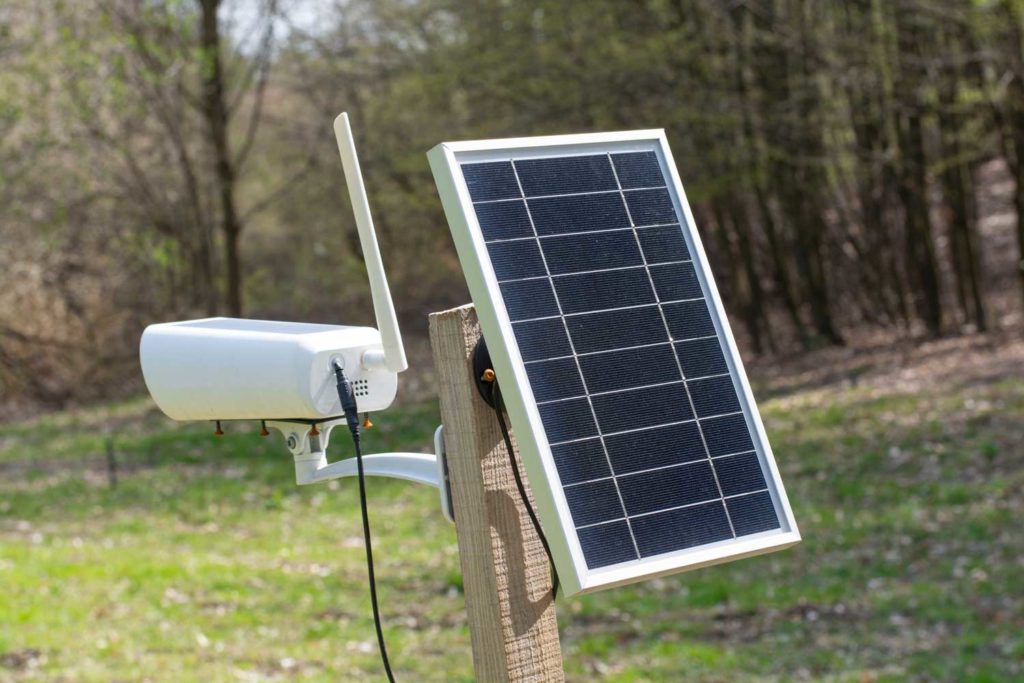
A solar powered security camera pairs a panel with a battery to keep running at sites with no electrical service. Perimeter fences, remote yards, agricultural land, and early-stage construction sites all benefit. The infrastructure requirement is close to nothing: mount the unit, aim the panel, and it runs.
Outdoor Security Cameras Without Wi-Fi
An outdoor security camera without Wi-Fi has to handle weather, distance, and power on its own. Weather-rated models built for offline operation cover a wide range of commercial environments:
- Construction sites where equipment and materials sit unattended overnight
- Parking lots and vehicle storage areas
- Equipment yards holding machinery and tools
- Rural properties far from broadband service
- Farms and ranches monitoring livestock, outbuildings, and access roads
- Perimeter security along fence lines and property boundaries
Many temporary surveillance deployments rely on solar-powered and cellular-connected security systems because power and internet infrastructure are often unavailable during the early stages of a project.
How to Set Up a Wireless Security Camera Without Internet
The setup process is relatively simple, but verifying that the system is recording properly is a critical final step.
- Select an offline-compatible camera: Look for a wireless camera with local storage support, such as an SD card slot, or compatibility with an NVR or DVR system. Not every wireless model offers this.
- Install local storage: Insert the memory card or confirm the recorder has enough drive space for the retention period you want.
- Connect to an NVR if needed: For multi-camera setups, link each camera to the recorder over the local network before mounting anything.
- Mount the camera: Position it for the coverage you actually need, paying attention to sight lines, glare, and how far the subject will be from the lens.
- Connect power: Run the power cable, install the battery, or position the solar panel where it will get consistent sun.
- Configure the recording schedule: Decide whether the camera records continuously, only during set hours, or only on motion.
- Enable motion detection: Set sensitivity and detection zones so that the camera ignores areas that generate constant irrelevant movement.
- Test recording: Walk through the frame and confirm the camera captured it at the quality and frame rate you expected.
- Verify playback: Pull the footage back from the card or recorder. Confirm it plays, the timestamp is correct, and the detail is usable.
That last step deserves more attention than it usually gets. A camera that records to a corrupted card looks perfectly healthy from the outside.
Pro-Vigil Insight: One of the most common installation mistakes is assuming the system is recording properly without verifying playback. Testing recordings immediately after installation can help identify storage, power, or configuration issues before they lead to missing footage.
Pros and Cons of Security Cameras Without Internet
Offline systems trade convenience for control. Whether that trade works depends on the site and on who is available to respond when something happens.
|
Benefits |
Limitations |
|
Greater privacy, since footage never leaves the property |
No remote viewing from outside the site |
|
Lower cybersecurity exposure with no cloud connection to attack |
No cloud backup if hardware is damaged or stolen |
|
No cloud subscription fees |
No mobile alerts when something happens |
|
Continues recording during internet outages |
Footage must be retrieved manually |
|
Lower bandwidth requirements on the network |
Limited access to cloud-based AI features |
|
Reliable local recording independent of service quality |
Real risk if the storage device itself is stolen |
Benefits
One major advantage of wireless security cameras without Wi-Fi is improved privacy and reduced risk of data breaches. Keeping footage on-site reduces exposure to risks associated with transmitting data over the internet or storing it with third-party providers. For organizations with strict security requirements, this is often a key advantage.
Local storage can also reduce ongoing costs. There are no recurring cloud storage fees as additional cameras are added, and no continuous uploads consuming bandwidth. Even during an internet outage, cameras configured for local storage continue recording without interruption.
Limitations
The main limitations become apparent when you need remote access. Without internet connectivity, you cannot view live video, receive mobile notifications, or access your cameras remotely. Reviewing footage requires someone to visit the site and access the recorder locally.
Storage is finite, so older footage disappears on a rolling basis. And because the recording lives entirely on site, a thief who takes the recorder takes the evidence of the theft along with it.
When Businesses Choose Security Cameras Without Internet
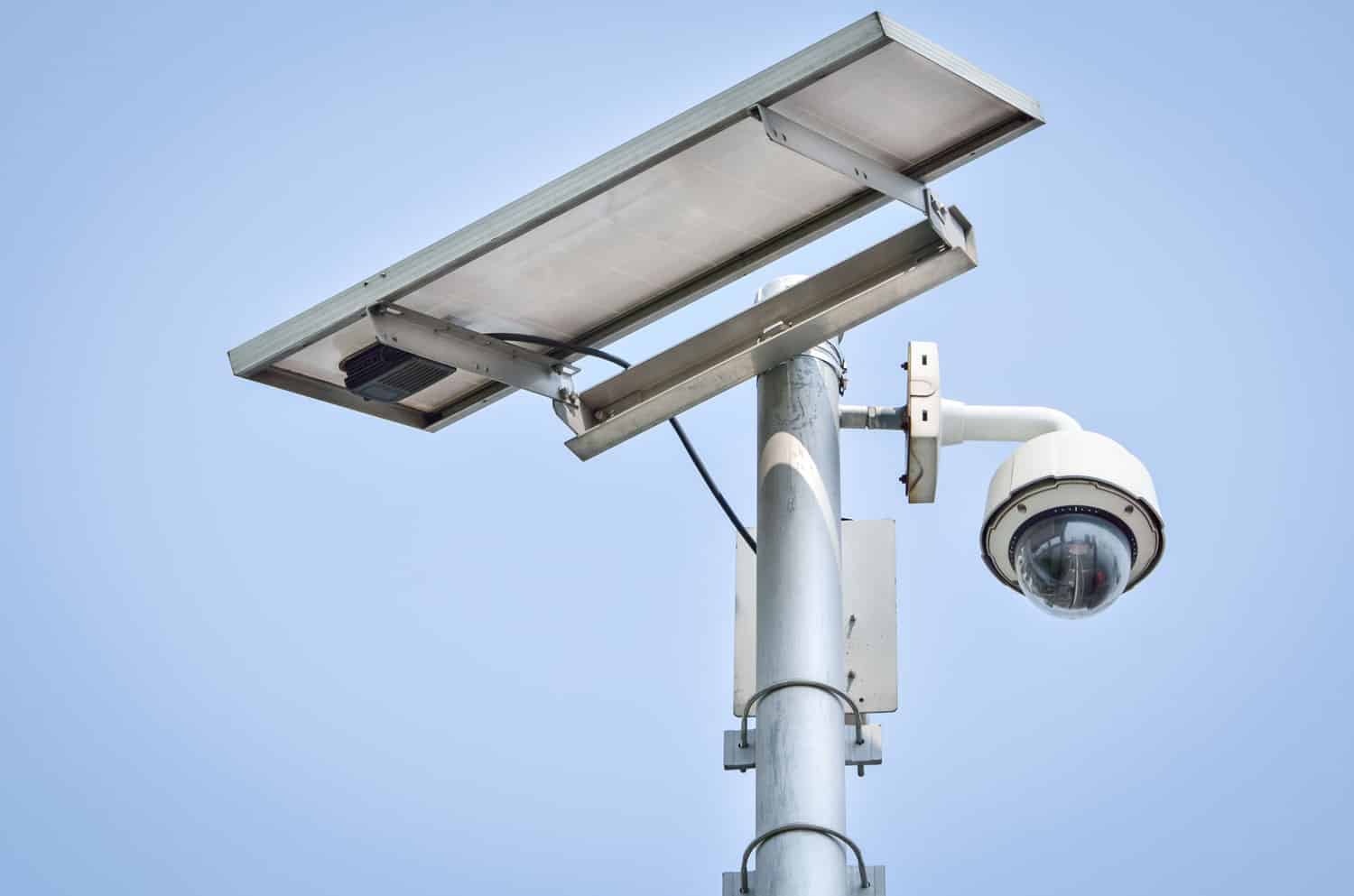
Security cameras that operate without internet are commonly used in environments where reliable connectivity is unavailable, impractical, or unnecessary for effective surveillance.
Remote Construction Sites
Construction sites often lack internet connectivity, yet they remain highly vulnerable to security risks. Projects run for months on land with no permanent power or network service, while copper, fuel, tools, and heavy machinery sit exposed after the crew leaves. The infrastructure to support a connected system frequently arrives near the end of the build, long after the theft risk peaks.
Farms and Ranches
Rural properties combine large acreage with weak connectivity. Broadband may reach the main house and nothing else, leaving barns, equipment sheds, gates, and grazing land well outside any usable signal. Farm security cameras without Wi-Fi handle those spots by recording locally or running on cellular.
Warehouses
Large interior facilities present a different challenge. Steel racking, concrete, and sheer distance degrade wireless signal long before the far wall. Many warehouses run commercial security cameras into a local NVR simply because wiring is more reliable than fighting the building. Inventory protection and interior monitoring work perfectly well without any outside connection.
Utility, Energy, and Industrial Sites
Substations, oil and gas facilities, renewable energy installations, and other remote infrastructure sit far from population centers by design. Connectivity is limited, the assets are valuable, and unauthorized access carries safety consequences as well as financial ones. Local recording and cellular systems cover ground that broadband never reaches.
Many commercial sites initially rely on offline surveillance simply because reliable internet service isn’t available throughout the property during construction or expansion.
Security Risks and Limitations of Offline Camera Systems
Offline recording solves the “no internet” problem, but it introduces a different set of trade-offs:
- No offsite backups, so a damaged or stolen device can mean lost footage entirely.
- Storage device theft is a real risk, since taking the SD card or DVR removes the evidence along with the camera.
- Limited storage capacity compared to unlimited cloud plans.
- Footage must be physically retrieved from DVRs or memory cards rather than pulled up remotely.
- Delayed awareness of incidents, since no one is watching in real time.
- No proactive intervention while an event is actually happening.
- No live monitoring or the AI analytics that come with cloud-connected systems.
Recorded footage is genuinely useful for investigating an incident after the fact, but it can’t deter a criminal in the moment or alert anyone while something is still unfolding.
Cellular vs Wi-Fi Security Cameras: Which Is Better for Locations Without Internet?
Wi-Fi cameras depend on a local router and a broadband connection, which works fine where that infrastructure already exists. Cellular cameras skip that requirement entirely, connecting through a SIM card and a mobile data plan instead.
That difference in setup translates into different strengths:
- Installation flexibility: Cellular cameras can go almost anywhere with cell signal, regardless of wiring or nearby routers.
- Costs: Wi-Fi setups tend to cost less upfront, while cellular systems carry ongoing data plan fees.
- Reliability in remote locations: Cellular connectivity often holds up better where broadband service is spotty or nonexistent.
Construction sites, utility projects, and infrastructure developments often rely on cellular surveillance because broadband service may not be available until well into the project timeline.
Best Practices for Using Security Cameras Without Internet
A few habits go a long way toward keeping an offline system dependable:
- Rely on motion detection to make the most of limited storage space.
- Increase storage capacity where budget allows, to extend retention.
- Regularly inspect recordings to confirm the system is actually capturing what it should.
- Keep storage devices physically secure so that footage can’t simply be taken along with the camera.
- Protect power sources, since an offline camera is only as reliable as its power supply.
- Schedule routine maintenance checks rather than waiting for something to fail.
- Test backups periodically instead of assuming they’ll work when needed.
- Keep firmware updated whenever a connection is available.
- Consider a cellular backup for sites where even occasional connectivity matters.
Effective surveillance depends not only on camera installation but also on continuous system health monitoring.
As Satish Raj, Chief Technology Officer at Pro-Vigil, explains, “Given the scale at which we operate, it is not possible to ensure near 100 percent uptime through human effort, so we have a combination of a central cloud-based health management system and edge software agents. These coordinate automated monitoring of the devices, diagnosis, and self-healing.”
While smaller deployments may not require enterprise-scale automation, regularly checking camera health, storage capacity, power, and recording functionality helps ensure footage is available when it’s needed most.
Pro-Vigil Security Solutions for Locations Without Reliable Internet
Pro-Vigil designs surveillance solutions for construction sites, warehouses, industrial facilities, utility projects, and commercial properties where internet connectivity may be limited or unavailable. That includes solar-powered surveillance trailers, cellular-connected cameras, and temporary mobile surveillance units built for sites with little existing infrastructure.
Local recording, hybrid cloud-and-local deployments, and AI-assisted monitoring can all be combined depending on what a site actually needs, whether that’s a single remote location or a network of properties spread across a region.
One of the advantages of working with a team like Pro-Vigil is the ability to design and deploy video security that fits almost any set of requirements, connectivity included.
When Offline Cameras Aren’t Enough: Why Businesses Choose Pro-Vigil Instead of Monitoring Cameras Themselves
Recording footage and preventing an incident are two very different things. A local system captures what happened, but it cannot intervene while an incident is unfolding, and self-monitoring faces the same limitation. Most incidents don’t occur during business hours, when someone happens to be watching a screen.
As Satish Raj explains, “In 2026, the biggest growth opportunity won’t be a specific tool as much as the continued development of AI-enhanced managed security services that streamline the security outcomes customers look for.” This shift reflects how businesses are increasingly prioritizing proactive security outcomes over simply recording incidents.
Based on Pro-Vigil’s experience protecting commercial properties, many security incidents happen precisely when no one is available to watch the surveillance feed. Professional live monitoring changes that equation: AI-assisted threat detection flags suspicious activity, live video monitoring puts a real person on the feed, and voice-down intervention can address a situation before it escalates.
When needed, that response extends to dispatching law enforcement, which tends to mean faster incident response, fewer false alarms, and better outcomes overall.
For nearly two decades, Pro-Vigil has helped businesses balance surveillance coverage, operational efficiency, and proactive threat detection across thousands of commercial locations.
Final Takeaway
Wireless security cameras can continue recording without an internet connection, making them a practical choice for remote sites, temporary deployments, and properties where reliable connectivity isn’t always available. While offline systems provide dependable local recording, they also come with trade-offs, including limited remote access, no real-time alerts, and no live intervention during an incident.
The right solution depends on your property’s layout, operational needs, and security objectives. For businesses that require proactive threat detection, AI-powered monitoring, and rapid response, combining reliable surveillance hardware with professionally managed security services delivers a more comprehensive approach to protecting people, property, and assets.
Frequently Asked Questions
If configured for continuous recording, wireless security cameras can record 24/7 to local storage such as an SD card, NVR, or DVR without requiring an internet connection. Continuous recording depends on available storage capacity and power.
Most wireless security cameras process motion detection on the device itself, allowing them to continue detecting movement and recording events even when the internet is unavailable.
Footage retention depends on several factors, including recording resolution, frame rate, recording mode, and available storage. Once the storage device reaches its limit, most systems automatically overwrite the oldest footage.
Some cameras can be configured directly through a local network or connected to an NVR or DVR without internet access.
Certain camera models may still require internet access for initial configuration, device activation, or software updates.
Yes. Offline security cameras are commonly used at construction sites, warehouses, farms, industrial facilities, and other locations where reliable internet is unavailable.
Businesses that require real-time monitoring and rapid response often combine local recording with cellular connectivity or professionally monitored surveillance.
Without an internet or cellular connection, you cannot view live or recorded footage remotely. You must access the footage directly from the camera, SD card, NVR, or DVR on-site.
If the camera is configured for local recording, it continues storing footage on its SD card, NVR, DVR, or internal storage during the outage. Cloud uploads, remote viewing, and mobile alerts resume once the internet connection is restored.
Many security cameras can operate without Wi-Fi by recording footage locally to an SD card, NVR, or DVR. Some models use 4G or 5G cellular networks to deliver video surveillance in remote or temporary locations where wired or Wi-Fi connections may not be practical.
Wireless cameras can record and store footage without an internet connection if they support local storage. However, features such as remote viewing, cloud storage, and mobile alerts require internet access.