What Causes Ghosting on CCTV Cameras?

Last week, we kicked off our new “Ask the Expert” blog series, which gives readers a chance to ask our team of video surveillance experts their most pressing questions. Today’s inquiring minds want to know: What causes ghosting on CCTV?
What Causes Ghosting on CCTV Cameras

Table of Contents

Quick Answer:

Ghosting on CCTV cameras is usually caused by technical or environmental factors. Common causes include poor lighting, slow shutter speeds, video compression, signal interference, faulty cables, incorrect camera settings, and outdated hardware. While ghosting is more common in analog CCTV systems, it can also occur with digital and IP cameras. Most issues can be prevented by optimizing camera settings, improving lighting, using quality equipment, and performing regular system maintenance.

What Is Ghosting on a CCTV Camera?

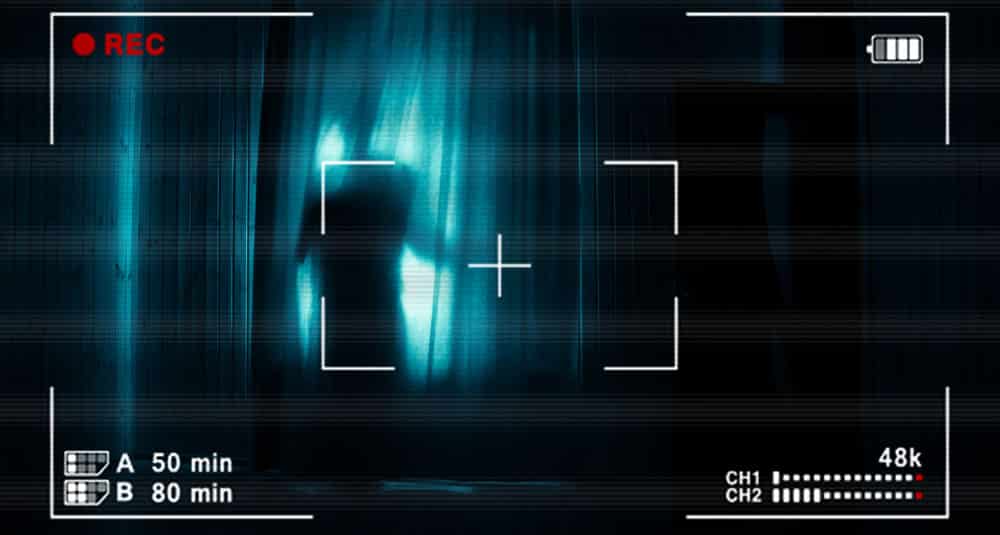
Ghosting in CCTV footage refers to faint, blurry, or double images that appear on video recordings. Sometimes these look like actual “ghosts” or shadowy figures, leading some people to claim they’ve seen a “ghost capture in camera.” Some CCTV footage is even shared online as “real haunting pictures,” but these images can often be explained by camera artifacts, lighting conditions, or other technical issues. In reality, ghosting is a technical problem caused by the way cameras process and transmit images. This issue is especially common in analog CCTV systems but can also occur with digital cameras under certain conditions.

Ghosting can resemble other CCTV image issues, but the visual pattern often helps identify the cause. Motion blur usually appears as a trail behind moving objects, while double images may indicate cable or signal interference. Bright halos or streaks around light sources are more likely to be lens flare, while blocky or pixelated trails often point to video compression. 

What are the Costs of a Remote Video Monitoring Service

What Causes Ghosting on CCTV Cameras?

Ghosting can have several causes, and the appearance of the problem often provides a useful clue. Use the table below to identify what to check first: 

What you see

Likely cause

What to check first

Quick fix

Trails behind moving people or vehicles

Slow shutter speed/motion blur

Shutter speed and exposure settings

Increase shutter speed and ensure there is enough light

Ghosting mainly at night

Low light or poor night vision

Lighting, exposure, and gain settings

Improve lighting and adjust exposure and gain

Ghosting or halos around objects at night

Infrared reflections

IR illumination, nearby walls, windows, and reflective surfaces

Reposition the camera or adjust IR intensity

Bright halos or streaks around lights

Lens flare, dirt, or moisture

Lens condition, nearby light sources, and camera housing

Clean the lens, remove moisture, block direct light, or reposition the camera

Smearing around moving subjects

Aggressive digital noise reduction

DNR level and image-processing settings

Reduce the DNR level and test moving subjects again

Two or more offset images

Cable or signal interference

Cable condition, connections, cable length, and nearby electrical equipment

Replace damaged cables and eliminate interference sources

Blocky or pixelated trails

Video compression

Bitrate, compression settings, and available bandwidth

Increase bitrate or reduce aggressive compression

Blurry or distorted footage across the entire image

Focus, lens, or camera settings

Lens cleanliness, focus, exposure, and image settings

Clean and refocus the lens and review camera settings

Ghosting that appears intermittently

Weak signal, network issues, or unstable connections

Network connection, connectors, and transmission quality

Check connections and improve signal stability

Problems that persist despite adjustments

Aging or faulty hardware

Camera, recorder, firmware, and connected components

Update firmware or have the equipment professionally inspected

Low Light Conditions and Poor Night Vision

Best Outdoor Night Vision Security CameraLow light is one of the most frequent reasons for a ghosting camera effect. When a camera can’t capture enough light, especially at night or in poorly lit areas, it struggles to form a crisp image. Instead, you might notice blurred shapes, double images, or trails in security camera footage.

Night vision cameras that aren’t set up properly can also create strange artifacts — but they’re really just the result of insufficient illumination. This issue is particularly common in parking lots, alleyways, and warehouses with uneven lighting.


Pro-Vigil Insight: In Pro-Vigil’s experience, many nighttime image quality complaints are resolved by improving site lighting or repositioning existing fixtures rather than replacing cameras. Proper illumination often delivers a greater improvement than upgrading hardware alone.

At night, check the camera’s exposure and gain. Longer exposure and higher gain can brighten dark scenes but may increase blur and noise.

Quick fix: Improve lighting where possible and adjust exposure and gain to match the lighting and movement in the scene.

Infrared Reflections

Infrared (IR) illumination can cause ghost-like artifacts when the infrared light reflects off nearby surfaces and back into the camera lens. This is especially common at night when IR LEDs activate automatically. 

Walls, windows, glass, rain, dust, or other reflective surfaces close to the camera can create halos, haze, or faint duplicate images. Repositioning the camera, adjusting the IR intensity, or reducing nearby reflective surfaces can help minimize the effect.

Lens Flare, Dirt, or Moisture

A dirty or wet lens can scatter light and create glare, haze, halos, or streaks that may look like ghosting in CCTV footage. Dust, fingerprints, condensation, and water droplets can become particularly noticeable when headlights, streetlights, or the camera’s own IR illumination shine toward the lens. Regularly cleaning the lens and checking the camera housing for moisture can help maintain clear footage.

Video Compression

Techopedia defines video compression as “the process of encoding a video file in such a way that it consumes less space than the original file and is easier to transmit over the network/internet.”

With video surveillance, once a camera captures images, the video data is transferred to a central cloud-based monitoring system, where images are analyzed and sent off to operators.

Video compression helps expedite the video upload process, so security analysts can get the footage they need as quickly as possible.

However, compressed images can sometimes result in subpar video quality, resolution issues and causing ghosting.

You want your remote video monitoring team to have a crystal-clear view of your property so they can accurately identify intruders, and not go on wild ghost chases. One of the most effective ways to do this is by making sure video compression always maintains standard video quality.

Pro-Vigil Insight: If bandwidth is limited, prioritize motion-triggered recording or use modern video compression standards instead of aggressively lowering image quality. This helps reduce ghosting while preserving footage that’s useful for investigations.

Slow Shutter Speed and Motion Blur

This is a classic culprit, especially in busy environments. A slow shutter speed lets the camera sensor absorb more light, but it also means that moving objects — like a person, a car, or even a waving tree branch — can leave behind a faint, trailing image. The result? A ghost capture in camera footage that looks mysterious but is just motion blur. This is often called CCTV ghosting, and it’s easily triggered whenever subjects move faster than the camera can process.

Faulty or Incompatible Cables

Not all cables are created equal. Using damaged, low-quality, or excessively long cables to connect your cameras can create signal loss or distortion. This weak signal may cause parts of the video feed to lag or overlap, resulting in the appearance of ghost images. In some cases, just swapping out old or mismatched cables can dramatically reduce ghosting on your security system.

Signal Interference or Weak Transmission

Electromagnetic interference (EMI) is everywhere — caused by things like nearby power lines, radio equipment, or even household appliances. If your CCTV system’s video cables or wireless signal run close to sources of interference, it can disrupt the feed and produce weird ghosting effects. Wireless cameras in particular are vulnerable to this, since they rely on a stable network connection. Even walls and large metal objects between your camera and receiver can degrade signal strength and lead to image artifacts.

Improper Camera Settings or Configuration

Sometimes, ghosting is simply the result of incorrect camera settings. Overly aggressive exposure, contrast, or sharpness settings can all contribute to blurry or double images. If your cameras are operating in “auto” mode and constantly adjusting to rapid changes in lighting, they may not capture clean frames — especially in dynamic outdoor environments. Checking and tweaking your camera’s configuration can go a long way toward solving ghosting issues.

Camera settings such as shutter speed, exposure, gain, white balance, IR intensity, and digital noise reduction can influence how clearly footage is captured.  An excessively slow shutter can create motion trails, while high gain can introduce noise. Over-sharpening may produce halos or edge artifacts, and aggressive DNR can smear moving objects.

Quick fix: Review shutter speed, exposure, gain, sharpness, IR, and DNR settings, then adjust them based on the lighting and movement in the scene.

Digital Noise Reduction

Digital noise reduction (DNR) helps cameras produce cleaner images in low-light conditions, but overly aggressive settings can affect moving subjects. 

When DNR blends frames or smooths image noise too heavily, people, vehicles, and other moving objects may appear smeared or leave faint trails. If ghosting occurs primarily at night or around moving objects, reviewing the camera’s DNR level and reducing it may improve image clarity.

Outdated Hardware or Low-Quality Cameras

If your CCTV system is several years old or relies on budget-friendly, no-name cameras, ghosting problems can become a constant headache. Older cameras often lack advanced sensors and image-processing software, making them much more likely to produce ghost images on security cameras, especially under challenging conditions. Upgrading to a newer system with high-resolution IP cameras will almost always yield a clearer, more reliable picture — and help you avoid ghosting for good.

How to Identify the Cause of CCTV Ghosting

The appearance of ghosting can provide useful clues about what is causing the problem. Instead of changing multiple settings at once, start by identifying the visual pattern and then check the most likely source.

What you see

Most likely cause

Trail behind a moving person or vehicle

Slow shutter speed or motion blur

Ghosting mainly at night

Low light or night vision settings

Ghosting only when IR activates

Infrared reflections

Double or offset image

Cable or signal interference

Bright halo or streak around a light

Lens flare, dirt, or moisture

Smearing around moving subjects

Aggressive digital noise reduction

Blocky or pixelated trail

Video compression

Entire image appears blurry or distorted

Focus, lens, or camera settings

Ghosting appears intermittently

Network, connection, or transmission issues

Problem persists after settings are adjusted

Aging or faulty hardware

This approach can help narrow down the cause before making changes to the camera, network, or other surveillance equipment. Once the likely cause is identified, focus on the corresponding setting or physical component rather than making multiple adjustments at once.

Why Is CCTV Ghosting Worse at Night?

For businesses relying on 24/7 surveillance, ghosting can become more noticeable after sunset because cameras have to work with less available light and rely more heavily on night-vision and image-processing features. 

As discussed earlier, factors such as low light, infrared reflections, slower shutter speeds, and digital noise reduction can each contribute to ghost-like artifacts. At night, these factors can interact and make motion trails, blur, or other image distortions more noticeable.

If ghosting becomes significantly worse after dark, compare the daytime and nighttime footage to identify what changes when the camera switches to night mode. 

Check the lighting around the camera and review its nighttime exposure, IR, and image-processing settings. Addressing the specific nighttime trigger can often improve image quality without requiring a camera replacement.

Does CCTV Ghosting Mean the Camera Is Failing?

Not necessarily. CCTV ghosting is often caused by camera settings, lighting, lens conditions, infrared reflections, signal issues, or video processing rather than a failing camera. However, persistent ghosting can indicate aging or faulty hardware if other potential causes have been ruled out.

To diagnose the problem, first check whether the ghosting occurs on one camera or multiple cameras. If it affects only one camera, inspect the lens, cables, connections, settings, and camera hardware. If several cameras show similar issues at the same time, check the network, recorder, power supply, or other shared components. If ghosting continues after cleaning the lens, checking connections, adjusting settings, and updating firmware, the camera or another component may require professional inspection.

How to Fix or Prevent Ghosting on CCTV Cameras

When ghosting appears, start with simple checks before adjusting settings or replacing equipment. Clean the lens, check lighting, and review shutter speed, exposure, gain, IR, and DNR settings. 

Inspect cables, connectors, and network stability, and check bitrate and compression if the footage appears pixelated. Updating camera and recorder firmware can also help resolve image-processing issues.

To prevent ghosting, maintain clean lenses, proper lighting, stable connections, and appropriate camera settings. Regular camera health checks can help identify image-quality problems early, while professional inspection may be necessary if ghosting continues after these adjustments.

Pro-Vigil Insight: Preventing ghosting is usually easier and less expensive than troubleshooting poor-quality footage after an incident. A combination of proper camera placement, routine maintenance, and proactive monitoring helps maintain reliable video evidence.

Final Takeaway

Ghosting on CCTV cameras may look mysterious, but it’s almost always the result of identifiable technical or environmental factors. From lighting conditions and camera settings to video compression and signal quality, understanding the root cause is the first step toward restoring clear, reliable footage. 

Regular maintenance, proper system configuration, and proactive camera health monitoring can help prevent ghosting before it affects security operations. 

Whether you manage a single property or multiple locations, investing in high-quality surveillance and ongoing monitoring ensures your cameras capture the evidence you need when it matters most.

Do you have a question for our experts? If so, contact us via our Twitter or LinkedIn page. And then stay tuned to the Pro-Vigil blog, because your question may be featured in the next installment of the Ask the Expert series!

CCTV Ghosting FAQs

Ghosting is when you see faint, blurry, or double images on your camera footage. These can look like shadows or transparent figures, which is why people sometimes call them “ghosts.”

Several factors can cause ghosting, including low light, slow shutter speeds, bad cables, interference, improper camera settings, and older or low-quality cameras. Often, it’s a mix of a few issues working together.

Ghost images on security cameras can be caused by slow shutter speeds, low light, IR reflections, DNR, lens flare, signal interference, faulty cables, or video compression.

Yes, definitely. When there isn’t enough light, the camera may struggle to form a clear picture, and you’ll often see ghosting or smearing, especially with older cameras.

Not necessarily! Ghosting can happen with perfectly good cameras if there are lighting, cabling, or setup issues. But if ghosting suddenly starts or gets worse over time, it could be a sign your camera or another part of your system needs attention.

Upgrading to IP cameras can help a lot. Modern IP cameras have better image sensors and processing, which dramatically reduces ghosting — especially compared to older analog systems. However, even the best IP camera can show ghosting if it’s installed or configured incorrectly.

Usually, yes. Nighttime or very dim conditions make it much harder for cameras to capture sharp, clean images. You’re far more likely to notice ghosting, smears, and strange artifacts after dark.

CCTV cameras can capture ghost-like images, but these are generally caused by lighting conditions, motion blur, reflections, or technical image artifacts.

CCTV ghosting problems are commonly caused by:

  • Slow shutter speeds
  • Poor lighting
  • Incorrect camera settings
  • Signal interference
  • Video compression
  • Aging equipment

A security camera ghost is a faint, blurry, or double image that appears in surveillance footage. It is usually a technical or environmental artifact.

A ghost image on security camera footage can result from motion blur, low light, IR reflections, lens flare, signal issues, or excessive video compression.

Picture of Jeremy White

Jeremy White

Jeremy White is Chief Commercial Officer, ECAM MARKET at ECAM. He founded Pro-Vigil, an AI-powered remote video monitoring provider in 2006, helping pioneer the remote video monitoring industry. In 2026, Pro-Vigil joined forces with ECAM, North America's undisputed #1 in remote video monitoring. With deep expertise in AI-powered surveillance, video analytics, and proactive crime deterrence—he spent the past two decades pioneering the remote video monitoring and security-as-a-service industries.

Connect with Jeremy on LinkedIn.
Share This Post
Facebook
Twitter
LinkedIn
Email

Security | Surveillance | Management | Compliance | Inspection
© 2020 Pro-Vigil. All Rights Reserved.