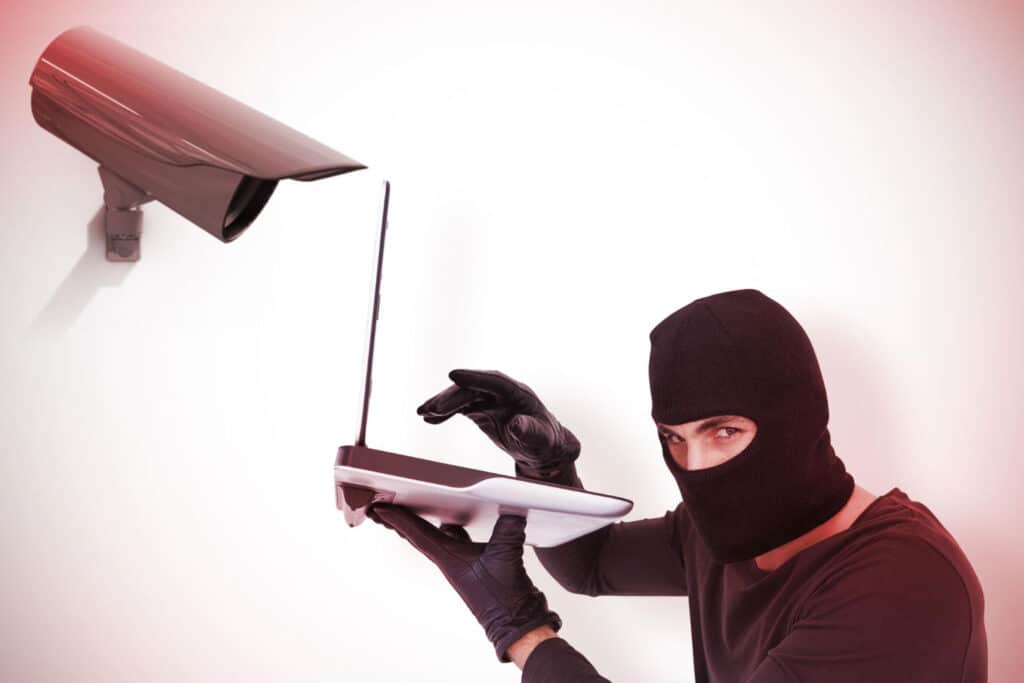
How to Tell if Your Security Camera Has Been Compromised

Hackers can exploit security system vulnerabilities, compromising the devices designed to keep us safe. It is essential to be vigilant and stay informed about potential security breaches.
Security Camera Has Been Hacked

Quick Answer:

The following red flags can signal a potential security breach involving your surveillance system: 

  • Cameras moving, panning, or changing direction without your input.
  • LED indicator lights blinking or behaving unusually.
  • Camera settings changing without authorization.
  • Unexplained spikes in bandwidth usage or unusually slow network performance.
  • Unfamiliar login activity or unknown devices accessing the system.
  • Frequent false motion alerts or unexpected notifications.

Use the following measures to secure your cameras and prevent additional unauthorized activity:

  • Disconnect the affected camera from the internet immediately.
  • Change all account passwords and enable strong authentication.
  • Update the camera firmware and security software.
  • Conduct a security assessment to uncover vulnerabilities and detect any unauthorized access. 
  • Implement ongoing camera health monitoring and professional surveillance support to reduce the risk of future breaches.

Want to learn more? Read on!

A few years ago, hackers accessed more than 150,000 live feeds from video surveillance cameras in hospitals, police departments, prisons, schools, and other businesses. Sloppy internal security protocols led to the incident. One security expert called it a “wake-up call” for the entire video surveillance industry. 

For companies, an exposed video stream creates more than embarrassment. Trade secrets could be revealed. The camera data could create privacy issues for employees and customers. This leads us to one big question: How can you tell if your security camera has been hacked?

Are Security Cameras Really Vulnerable to Hacking?

Yes — security camera hacks are more common than you might think. From hacked IP cams to exposed hacked CCTV cameras live, vulnerabilities exist in both consumer-grade and enterprise systems. Most attacks stem from weak passwords, unsecured networks, and outdated firmware. Even cloud-connected cameras are at risk, especially if users fail to secure login credentials or enable two-factor authentication.

To protect your system, always use strong passwords, apply security updates promptly, and restrict access to only essential users.

How Can Hackers Gain Control of Your Video Surveillance?

Cameras play a crucial role in protecting a business. However, with advancements in technology come new risks. Hackers can exploit security system vulnerabilities, compromising the devices designed to keep us safe. It is essential to be vigilant and stay informed about potential security breaches. But how can a bad actor gain access to your cameras?

Hackers can employ various techniques to gain control of your video surveillance system, including: 

  • Exploiting Weak Passwords: Hackers can use brute force attacks or employ automated tools to crack weak passwords and gain unauthorized access to your cameras.
  • Firmware Vulnerabilities: Security cameras run on firmware, which is essentially the operating system for the device. Outdated or poorly coded firmware may have known vulnerabilities that hackers can exploit. They can leverage these weaknesses to access your camera’s settings, footage, or control functions.
  • Remote Access Backdoors: Some security cameras offer remote access features, allowing users to view live footage or control the camera from anywhere via the internet. However, if these remote access features are not secured, they can become a backdoor for hackers. They can exploit vulnerabilities in remote access protocols or weak authentication methods to gain control of your cameras.
  • Malware and Phishing Attacks: Hackers may employ malicious software (malware) or fake emails (phishing) to gain control of your security cameras. Phishing emails have infected attachments or links that, when clicked, install malware on your devices. Once inside your network, the malware can grant unauthorized access to your cameras.
  • Wi-Fi Network Exploitation: Hackers can target weak Wi-Fi passwords, unencrypted connections, or outdated router firmware to access your cameras.

Can Wired Security Cameras Be Hacked?

A common misconception is that wired cameras are immune to threats. Although wired security cameras offer greater protection than wireless systems, they are not completely immune to cyber threats. If the underlying network is breached, unauthorized users may be able to access the camera system. 

Common attack methods include:

  • Weak passwords: Default, reused, or easily guessed passwords can allow unauthorized users to access camera accounts.
  • Firmware vulnerabilities: Security flaws in outdated firmware can create opportunities for hackers to compromise the system. 
  • Cloud account compromise: If the cloud account linked to the camera is breached, attackers may gain remote access to video feeds and settings.
  • Unsecured networks: Poorly secured networks can provide a pathway for hackers to access connected surveillance devices.

These attack methods can often be prevented through strong security practices, regular firmware updates, and proper network protection. However, maintaining a secure surveillance system requires ongoing vigilance. How can a business owner recognize if their surveillance cameras have been breached?

How Do Security Cameras Get Hacked?

Security cameras are usually compromised through a combination of weak configurations, software vulnerabilities, and network exposure. Attackers often target easily exploitable entry points rather than breaking encryption directly.

Common ways security cameras get hacked include:

  • Default credentials: Many devices come with preset usernames and passwords that users often fail to update, which can make them an easy entry point for unauthorized access. 
  • Brute-force attacks: Hackers deploy automated programs that continuously attempt different login combinations until they successfully break into the system. 
  • Credential stuffing: Previously leaked usernames and passwords from other breaches are reused to attempt logins on camera systems.
  • Outdated firmware: Older firmware versions may contain known security vulnerabilities that attackers can exploit.
  • Exposed ports: Improperly configured network ports left open to the internet can allow direct access to camera interfaces.
  • Third-party integrations: Weakly secured apps, cloud services, or integrations connected to the camera system can create additional entry points for attackers.

How To Tell if Your Security Camera Has Been Hacked

Security Camera Hacked

Security breaches of video surveillance cameras are increasing. What can a business owner look for to determine if they’re about to become a victim of a cyber-terrorist?

Unusual camera behavior is one of the first indications that your security camera may have been hacked. Keep an eye out for the following signs:

  • Camera Malfunctions: It could be a red flag if your camera suddenly stops working or experiences frequent disruptions. Signs include freezing images, blurry footage, or failure to record altogether.
  • Unexpected Movements: Security cameras may start panning, tilting, or zooming – without your input. If you notice your camera moving erratically without any input from you or authorized personnel, it could indicate unauthorized access.
  • LED Lights and Indicators: Pay attention to the LED lights on your security camera. It could indicate a compromise if they behave unexpectedly, such as turning on or off at odd times or blinking rapidly.

Suspicious network activity is another way to tell if your security camera has been hacked. For a security camera to be hijacked, it requires a connection to the internet to allow remote access. Business owners can monitor their network for signs of suspicious activity, such as:

  • Unexplained Bandwidth Usage: Do you notice a significant increase in internet bandwidth consumption? There may be internal reasons for this increase. But without apparent reason, it could be a sign that your security camera is compromised.
  • Slow Network Speed: A hacked camera may strain your network, causing a slowdown in internet speed or performance. If your network suddenly becomes sluggish, consider the possibility of a security breach.
  • Unauthorized Access to Camera Settings: Hackers may gain access to your security camera’s settings and make changes. Watch for unfamiliar configurations, altered passwords, or settings you didn’t modify.

Strange or unauthorized notifications can also be a cybersecurity red flag. Modern security cameras often come equipped with motion detection and alert features. Hackers can exploit these functions to send false notifications or gain unauthorized control. Look out for the following signs:

  • Unexpected Notifications: Have you received notifications for events that didn’t occur? Are the notifications at odd hours when there is normally no business activity? It could indicate that someone has tampered with your cameras.
  • Unfamiliar Accounts or Logins: Regularly check your security camera’s associated accounts. It could be a sign of unauthorized access if you notice unfamiliar usernames or logins.
  • Changes in Privacy Settings: Hackers may modify privacy settings, allowing them to access your camera’s live feed or recordings remotely. If you find unfamiliar devices or locations listed in your privacy settings, something could be going on.

What to Do if Your Security Camera Is Hacked

A security camera hack can expose your private footage to the internet or allow bad actors to spy on your home or business without your knowledge. If you suspect that your surveillance system has been compromised, immediate action is crucial.

Here’s what to do:

  • Disconnect the Camera from the Internet – This cuts off remote access and prevents further spying.
  • Change All Passwords – Update your camera, router, and cloud account passwords with strong, unique credentials.
  • Update Firmware – Hackers often exploit outdated software. Install the latest firmware from your camera manufacturer.
  • Run a Security Audit – Check all connected devices on your network to ensure there are no unknown users or backdoors.
  • Contact Your Provider – Some manufacturers offer breach support or can help you determine the source of the compromise.
  • Notify Authorities if Necessary – If sensitive or private footage was leaked, report the breach to your local law enforcement or cybercrime unit.

Most business owners don’t have enough time in the day to also ride shotgun on their video surveillance systems. That’s why Pro-Vigil offers a hands-free IP Camera Health Monitoring service. It’s part of our turnkey video surveillance service to keep your business secure. Here’s how it works.

How To Protect Your Security System From Hacking

Protecting your security camera system requires a combination of strong configurations, regular maintenance, and proactive monitoring. Adopting proper security measures can greatly lower the chances of unauthorized access and system breaches

Key steps to protect your security system include:

  • Use strong, unique passwords and avoid default credentials
  • Enable multi-factor authentication (MFA) for all camera and cloud accounts
  • Keep firmware and software regularly updated to patch known vulnerabilities
  • Secure your network with encryption and a strong Wi-Fi password
  • Disable unused ports and remote access features when not required
  • Limit user access to only essential personnel
  • Monitor system logs and network activity for unusual behavior
  • Use firewalls and network segmentation to isolate surveillance systems
  • Conduct regular security audits to identify vulnerabilities early
  • Work with professional surveillance providers for continuous monitoring and support

How to Secure Your Security Camera System with Pro-Vigil

Prevention is key when it comes to securing your security camera system. Pro-Vigil offers companies advanced health monitoring to detect camera problems early. We combine the best in computer automation software with remote security guards as the one-two punch to ensure 100% functionality in the cameras we install. 

In a world where digital threats are becoming increasingly prevalent, it’s essential to stay vigilant about the security of our devices. Investing in the security of your security cameras is investing in your peace of mind. Stay informed, stay alert, and stay safe. Call on Pro-Vigil. We can help.

Security Camera Hacking FAQ

Watch for suspicious activities such as unexpected movements, strange noises, or distorted video quality. Check for unauthorized access to the camera's settings or unusual data usage. Regularly update firmware and passwords and consider using secure networks and encryption for added protection.

With a growing number of internet-connected video surveillance tools, hacking is an increasing concern. While it is difficult to know the exact numbers, hacking incidents are rising. It is crucial to stay vigilant, employ security measures, and update devices to mitigate these risks.

Look for strange behavior like unauthorized camera movement, blinking lights, or odd sounds. Sudden login issues or unexpected footage in your cloud account may also indicate a breach.

This is often a sign of remote access. If you’re not controlling the movement, it may mean someone else is. While this could be your surveillance provider checking in, this remote movement could mean a security camera hack. Double-check to make sure nobody who is supposed to have access was responsible ASAP.

Yes. Some hackers can turn off, mute, or redirect a compromised camera. This is especially common in hacked IP cams with outdated firmware.

Not always — but if the light behavior changes suddenly and you're not actively using the camera, investigate further.

Yes. Can surveillance cameras be hacked? Absolutely, especially if they’re connected to the internet without proper encryption or password protection.

Immediately disconnect it from the internet, change your passwords, update firmware, and notify your provider. See the full steps under “What to Do if Your Security Camera Is Hacked.”

Use strong passwords, enable encryption, update firmware regularly, and never expose your cameras directly to the internet without proper protections.

Generally, yes — but they are not immune. If a wired camera system is connected to a compromised network, it can still be accessed remotely.

Unfortunately, yes. Without proper safeguards, unauthorized users can stream, download, or even control your system without your consent.

If your privacy was violated or sensitive footage was accessed or leaked, report the incident to local law enforcement or a cybersecurity professional.

Unusual camera movement, unauthorized setting changes, unknown logins, strange notifications, and unusual network activity are common warning signs.

They can be at higher risk if weak passwords or poor authentication practices are used, but strong security settings significantly reduce exposure.

If the Wi-Fi network is insecure, unprotected by encryption, or already compromised, it can provide attackers with a pathway to access connected security cameras.

Poorly secured IP cameras, devices with outdated firmware, and cameras using default credentials or exposed remote access are most vulnerable.

If the app, account credentials, or connected cloud service is compromised, attackers may gain access to camera feeds and settings.

Look for unusual motion alerts, unknown device logins, camera offline issues, or unexpected changes in settings or live feed behavior.

While more secure than wireless systems, wired cameras can still be compromised if the network, credentials, or firmware are vulnerable.

Common signs include:

  • Unusual movement
  • Unauthorized setting changes
  • Strange notifications
  • Slow network performance
  • Unknown logins

CCTV systems are not immune to cyber threats and can be breached when exposed online, secured with easily guessed credentials, or left running on outdated software. 

Indicators include camera light turning on unexpectedly, unknown applications accessing the camera, and unusual system performance.

Like other smart cameras, Blink devices can be hacked if accounts are compromised or security settings are weak.

If you believe your security camera has been breached, you should respond without delay to contain the issue and protect your system from any ongoing unauthorized activity.

  • Disconnect the device from online access immediately.
  • Change all account passwords
  • Perform a firmware upgrade to the current version
  • Review all connected devices for unknown access
  • Run a full security audit of your network and camera system

Review system logs, check for unknown logins, monitor network activity, and look for unusual camera behavior or settings changes.

Security cameras can be hacked through weak passwords, firmware flaws, unsecured networks, or compromised cloud accounts.

Wired systems can still be attacked if the network infrastructure or connected devices are not properly secured.

Watch for unexpected live feed activity, unfamiliar logins, altered settings, or unusual alerts from the device.

Check for unusual camera behavior, review login history, monitor bandwidth usage, inspect settings changes, and verify all connected devices.

Signs include:

  • Unexpected camera activation
  • Unusual battery drain
  • Unknown apps using the camera
  • Strange device behavior
Picture of Jeremy White

Jeremy White

Jeremy White founded Pro-Vigil in 2006 and has spent the past two decades pioneering the remote video monitoring and security-as-a-service industries. With deep expertise in AI-powered surveillance, video analytics, and proactive crime deterrence, he has guided Pro-Vigil to becoming UL-Certified and earning the Five Diamonds Designation by The Monitoring Association — among the highest recognitions in the security industry. Connect with Jeremy on LinkedIn.

Share This Post

Facebook
Twitter
LinkedIn
Email

Security | Surveillance | Management | Compliance | Inspection
© 2020 Pro-Vigil. All Rights Reserved.